A skin analysis tablet app for clinic treatment rooms
Private client work, so there is no public link. WhatsApp us and we will show it to you on a call.
What was there
A clinician choosing treatments and home care has a long catalogue to match against the face in front of them, in a consultation that lasts minutes.
What we built
A tablet app for the treatment room. After a short intake, the clinician takes a face photo and goes through the AI reading with the patient. The AI only picks concerns from a fixed list and the code turns those into products from a real catalogue, so it cannot invent one. If the patient is pregnant or breastfeeding, treatments that should wait are held back.
Good to know
It does not diagnose. The clinician reviews every reading and decides.
What it does
From the first question to the report the patient takes home. Every step below is a screen in the app.
Screens shown with sample patients, sample clinicians and placeholder products.
Consent before the camera opens
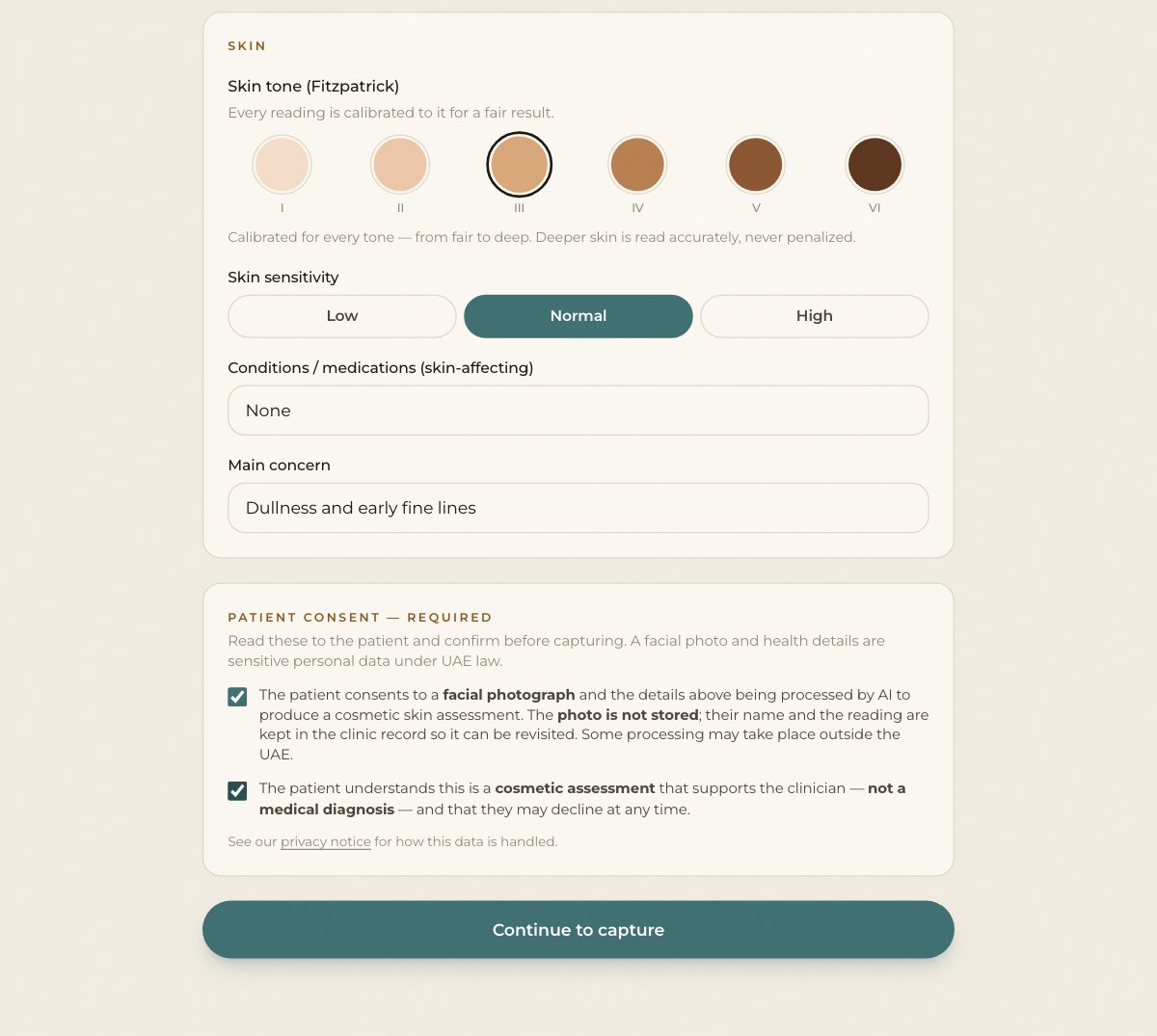
The clinician fills in a short intake: age, skin tone, sensitivity, conditions and the main concern. The camera stays closed until both consent boxes are ticked.
A camera that guides the photo
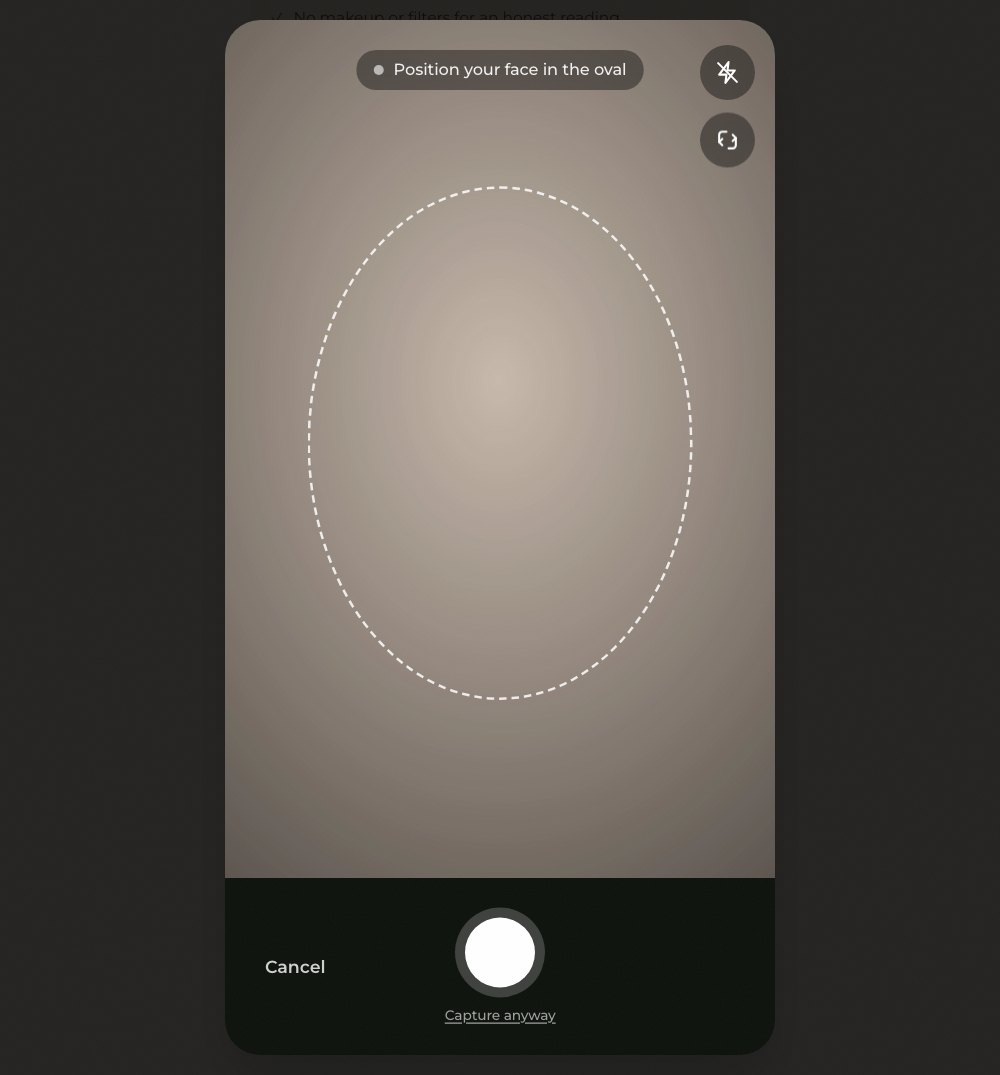
An oval shows where the face goes. The app will not take the photo while a hand covers the face, and it warns when the light is too dark or too bright, or the photo is blurred.
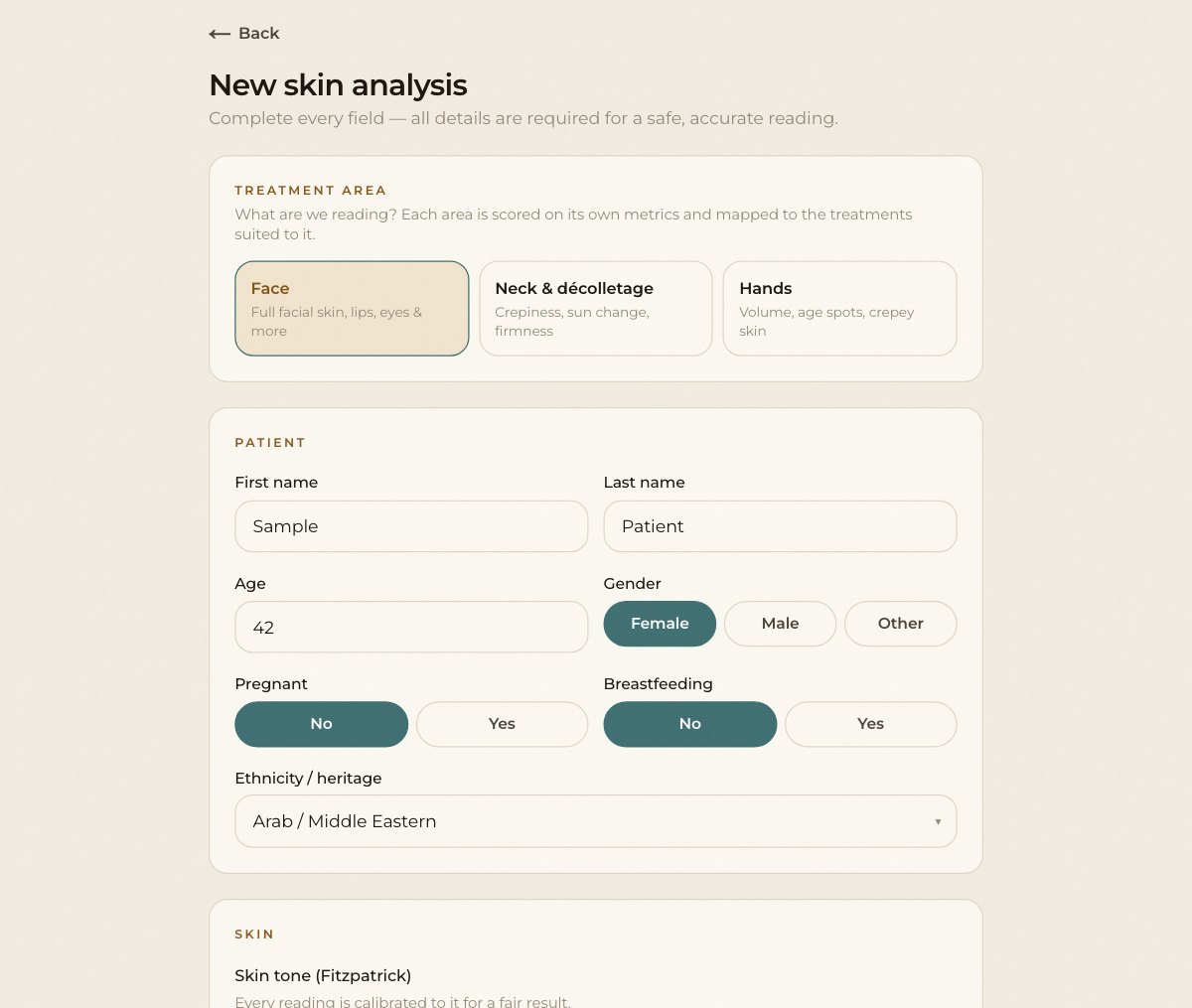
Face, neck and décolletage, or hands
The clinician picks the area first. Each one has its own readings: eight for the face, six for the neck and six for the hands.
The report
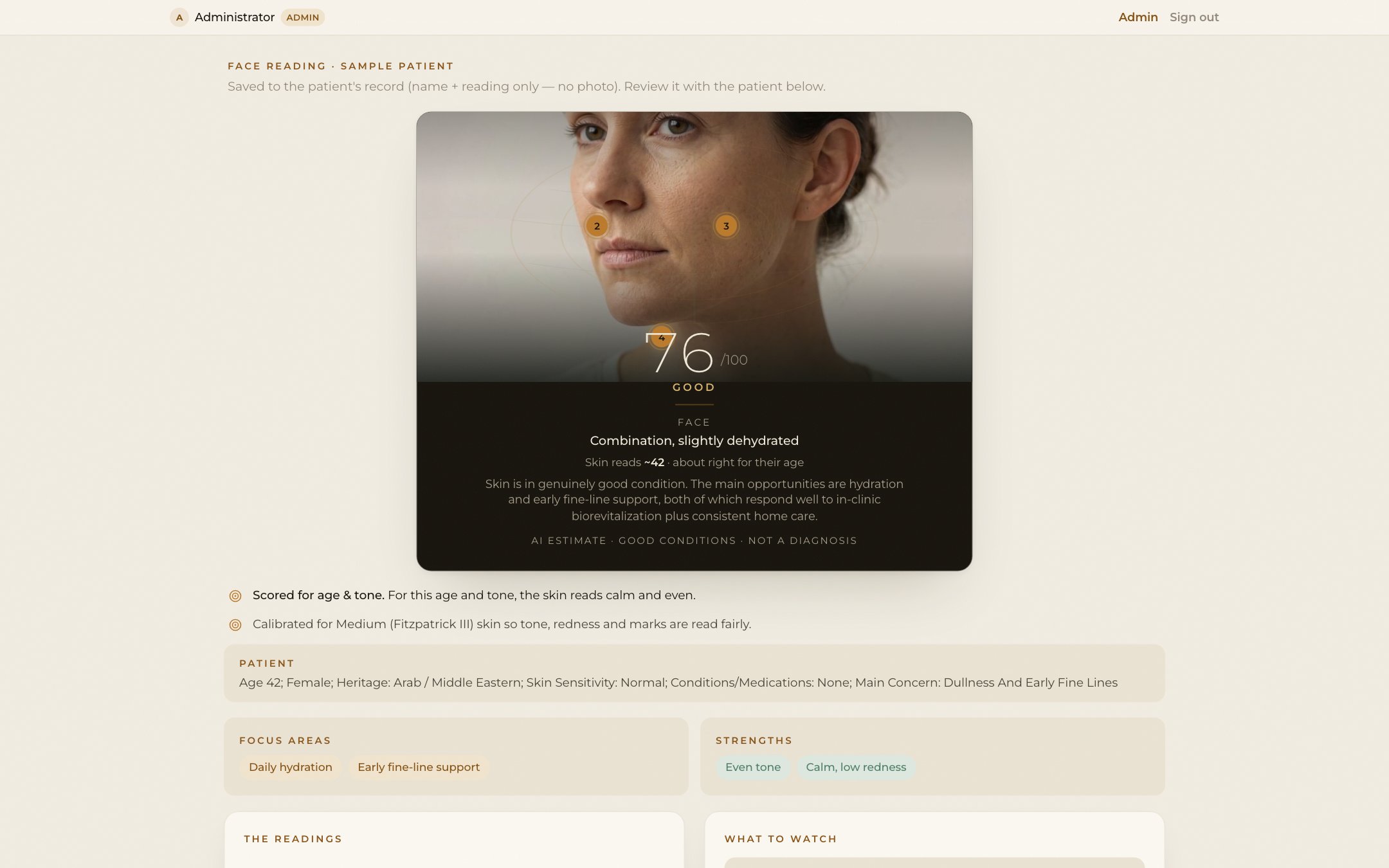
An overall score and a skin profile, plus a skin age for the face, judged for the patient's age and tone. The zones it talks about are marked on the photo.
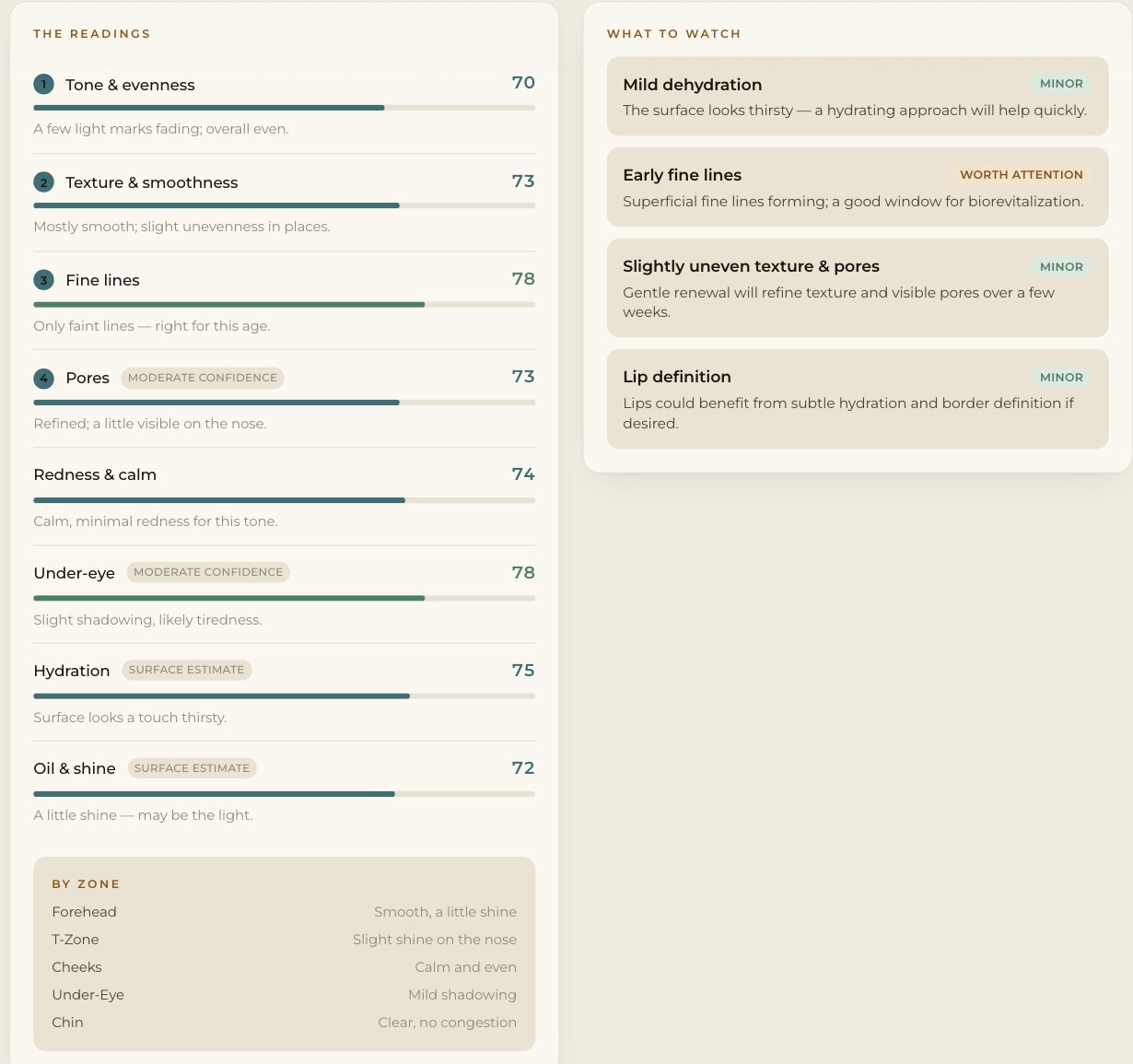
Readings, what to watch and a summary
Each reading has a score, a short note and a confidence label when the photo cannot show it well. A list of what to watch is ranked by how much it matters, and a plain summary is written for the patient.
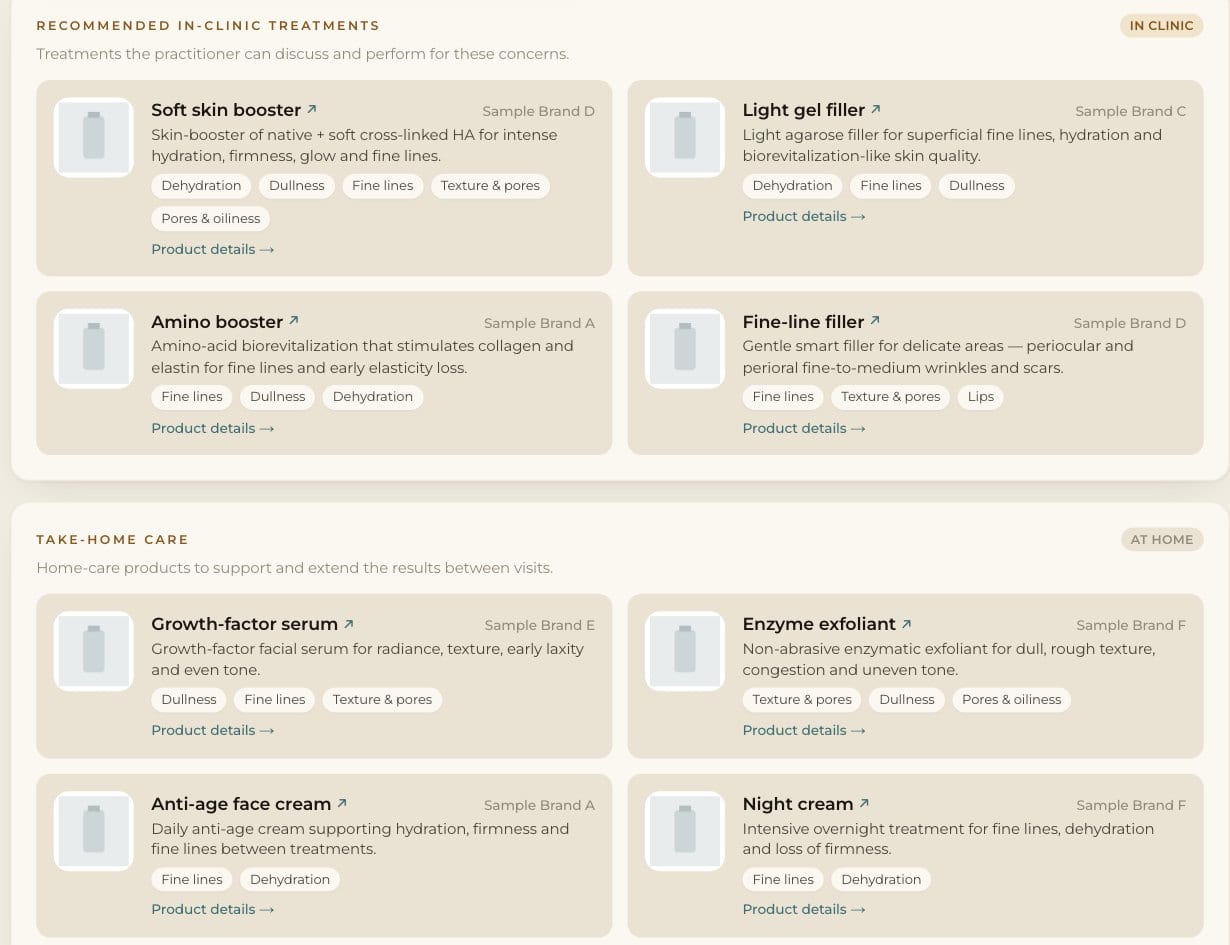
Products from a fixed catalogue
The AI never names a product. It picks concerns from a fixed list, and the app matches them to a real product catalogue, split into in-clinic treatments and take-home care.
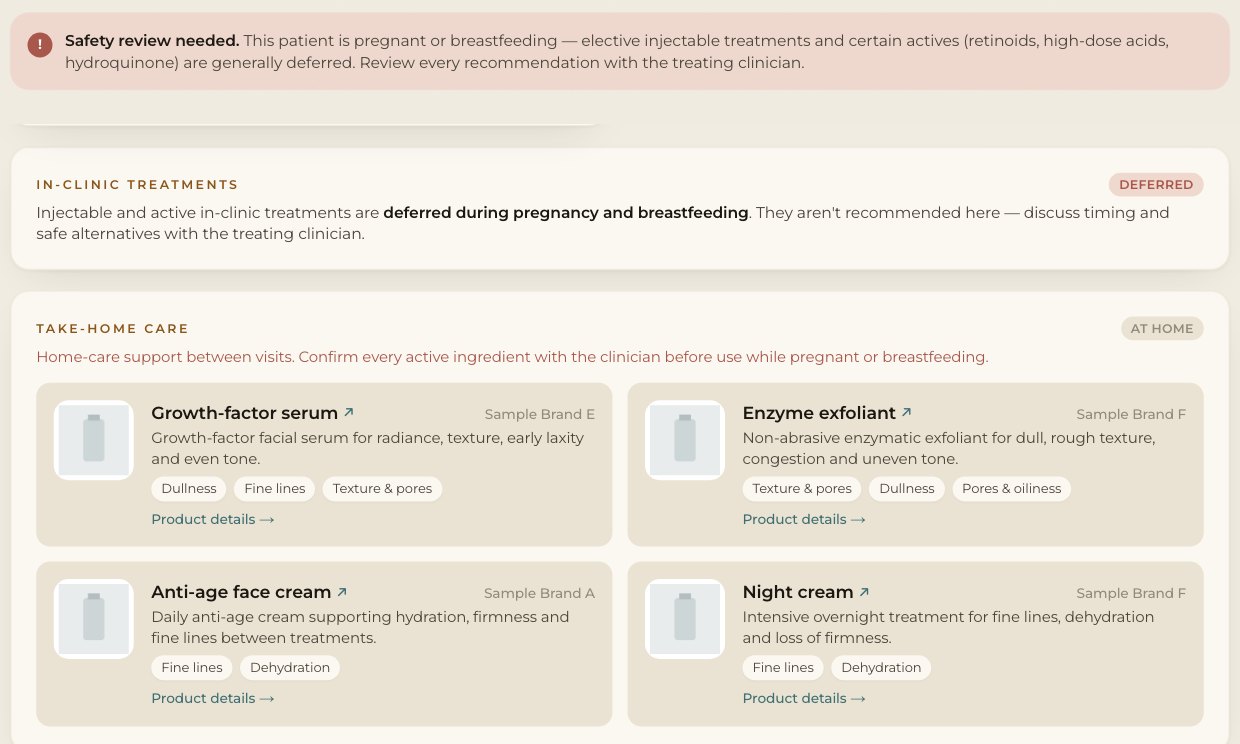
Safe for pregnancy
If the patient is pregnant or breastfeeding, in-clinic suggestions are held back and a safety note shows on screen and in the PDF.
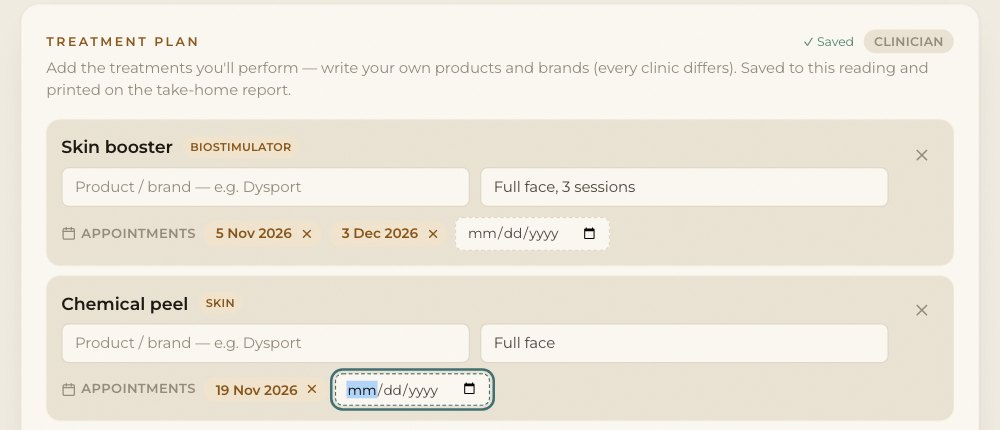
The clinician's notes and treatment plan
The clinician adds the treatments they will do, each with a product, the area, a note and the dates of the next appointments. The plan saves on its own and stays with the reading.
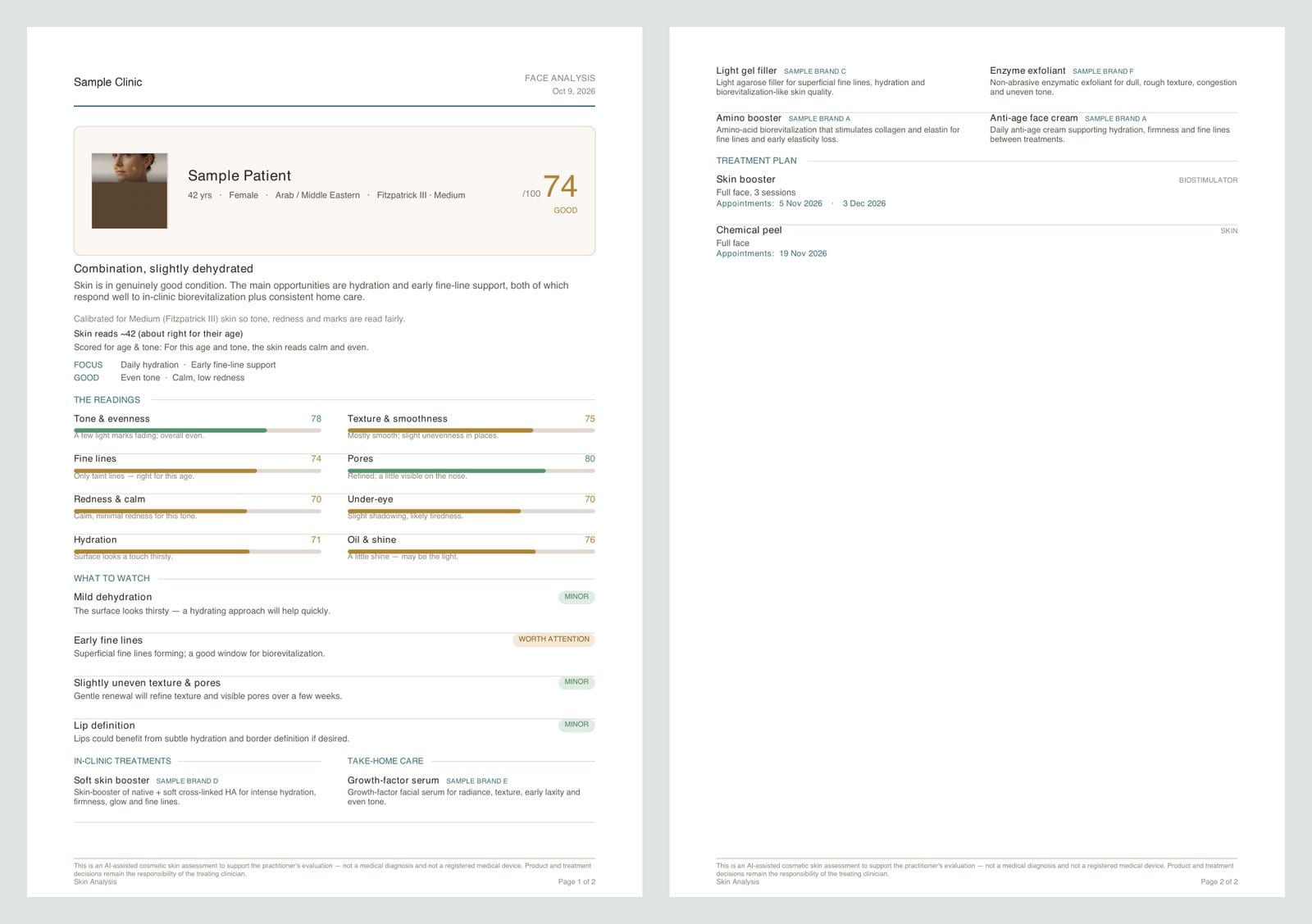
A PDF to take home
One tap downloads the report as a PDF: score, readings, what to watch, the products, the treatment plan with its appointment dates and any safety notes.
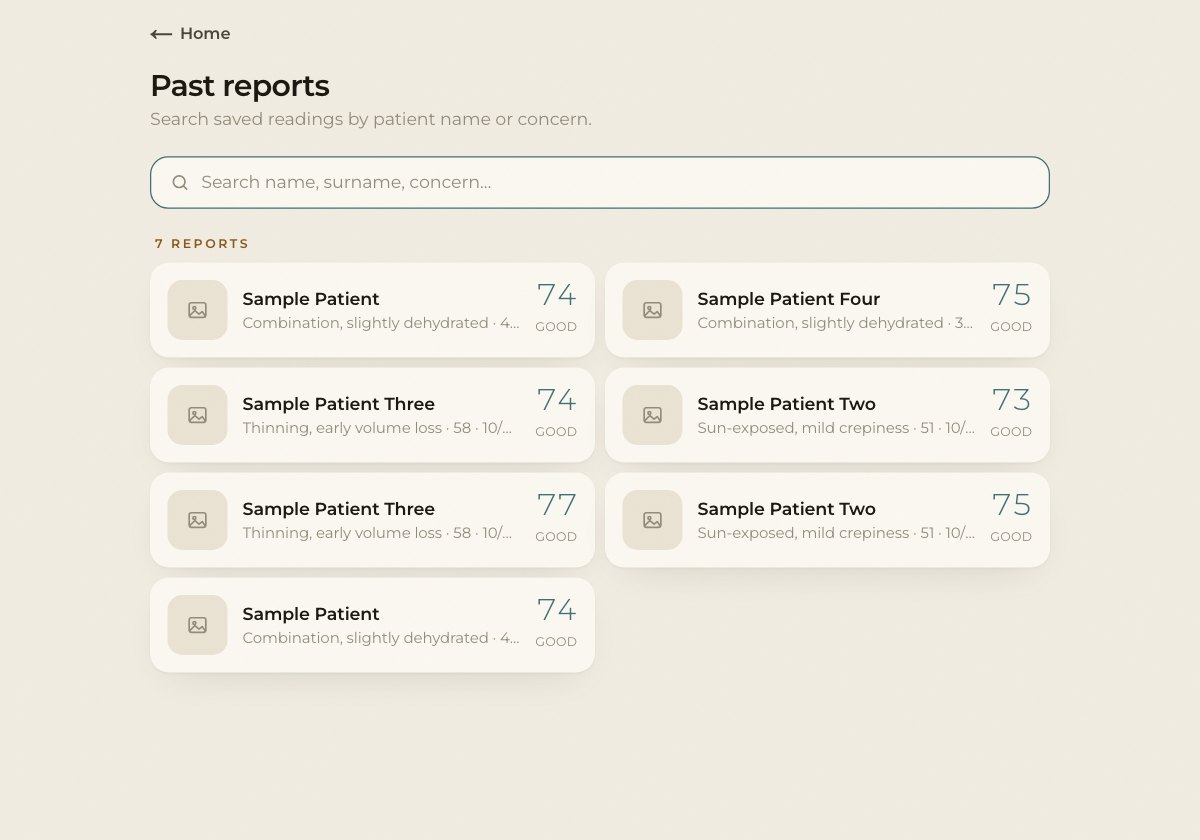
Patient history
Every reading is saved. Search past reports by name or concern, reopen one, change the plan or download the PDF again.
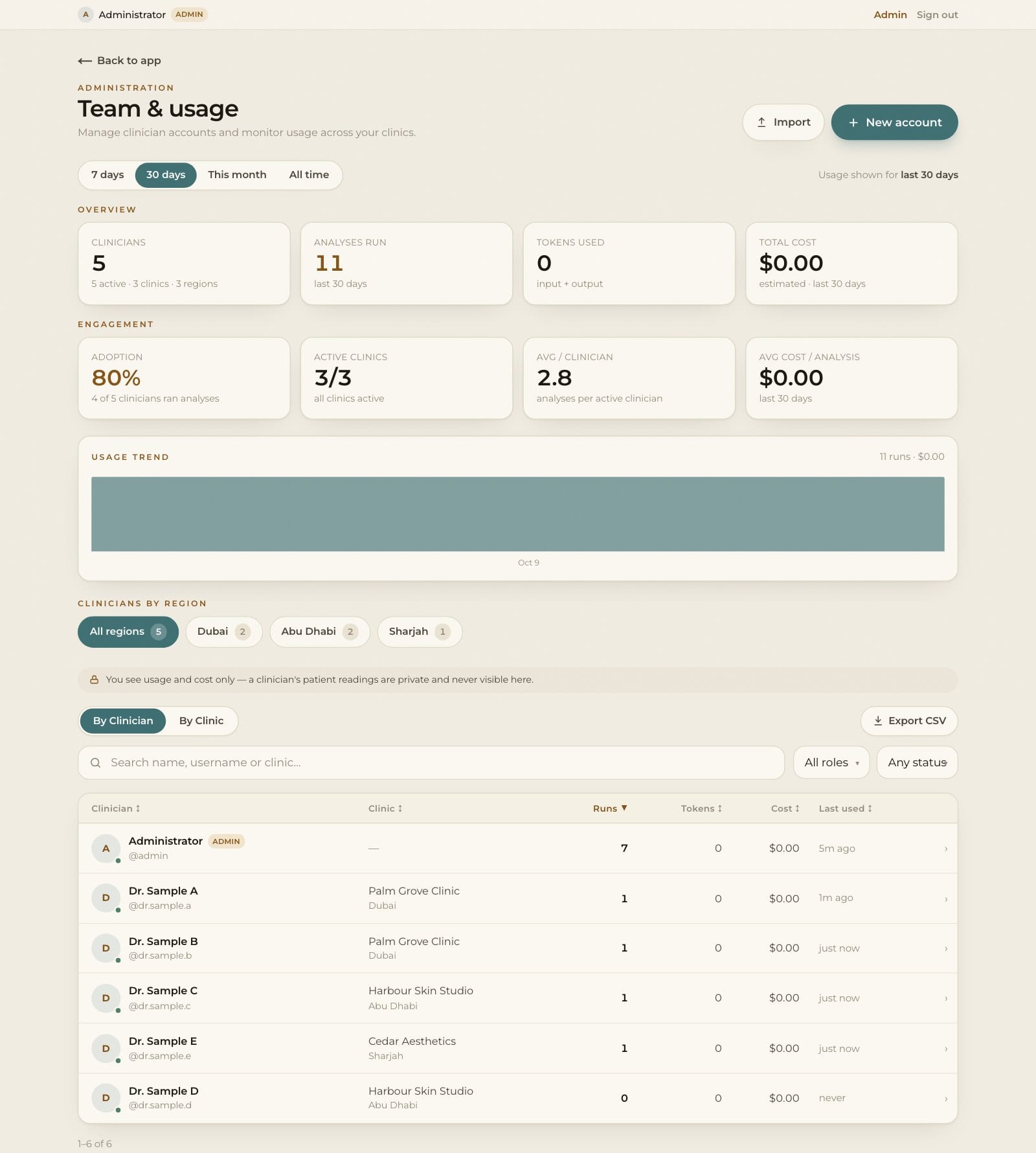
Admin console
Admins add clinicians one at a time or from a CSV, reset passwords and see usage by clinician, clinic and region, with CSV export. They never see patient readings.
Privacy
The photo is never stored. Sensitive intake details are dropped before the reading is saved, and records are deleted automatically after 365 days.
Only invited users
There is no public sign-up. Each clinician signs in with an account the admin created, changes the password the first time and sees only their own patients.